A WordPress Website and Reusable Design System for My Contractor Web Design Business
JSeitz Designs is my web design business for handymen, remodelers, and home-service contractors in the St. Louis area. Most contractor websites are built one at a time from page builders and templates, so every site starts from scratch and quality depends on the day. I wanted a system: a single set of tokens, components, and page sections designed once in Figma and rebuilt natively in WordPress, so I could launch my own site and then deliver consistent, accessible client sites in a fraction of the time.
Role: Founder, UX/Product Designer (solo: research, design, and build)
Timeline: 2 weeks in October 2026
Tools: Figma, WordPress, Kadence Theme and Kadence Blocks, Yoast SEO, Claude (AI build assistant)
Users: Homeowners comparing contractors (often on a phone), and contractor business owners who need a site they can trust and keep up to date
Live site: jseitzdesigns.com
The Problem: Small contractors need a site that looks professional and makes it easy to call or request an estimate, but they can’t afford a custom build every time.
My first approach mirrored the industry’s: export HTML/CSS from Figma, paste it into WordPress, and patch the gaps. It produced pages that looked right in the mockup but were fragile to edit, inconsistent between screens, and impossible for a non-designer to maintain.
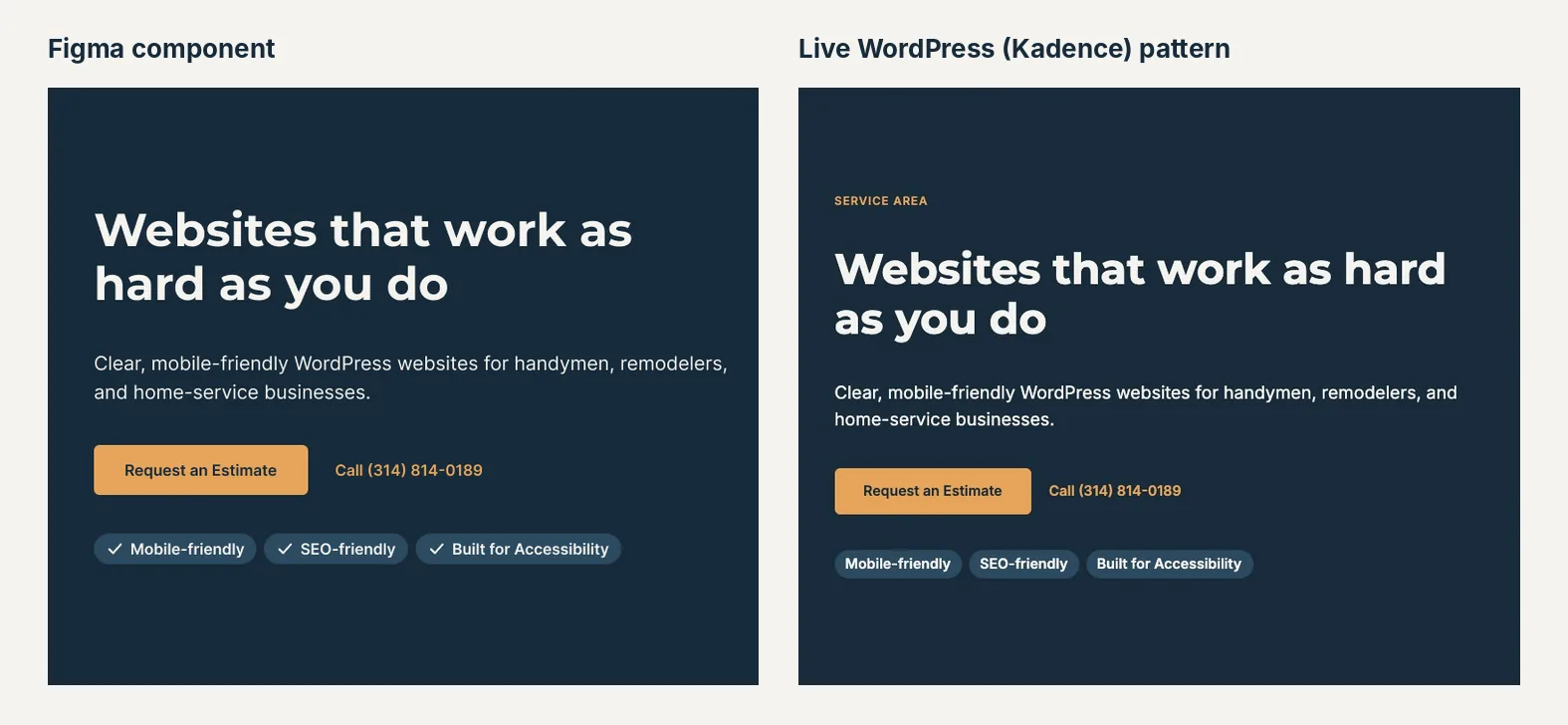
The solution: A design system that lives in two places and stays in sync. Figma holds the source of truth (foundations, components, and page templates). WordPress holds the same system rebuilt natively: one CSS file of design tokens and utility classes, plus a library of Kadence block patterns that map one-to-one to the Figma components. Building a page becomes assembling tested sections instead of designing from a blank canvas.
Challenges
1. Figma-to-WordPress Handoff
- Challenge: Pasted Figma code and a Figma-to-WordPress plugin brought in their own styles. One plugin stylesheet reset every heading to body size, so the H1 rendered at 16px.
- Design Response: I rebuilt every section as native Kadence blocks and moved all styling into one token-based CSS file mapped to the Kadence global palette, so the theme, the blocks, and the CSS share one set of values.
2. Matching Figma’s Spacing Without Per-Block Tweaking
- Challenge: Figma auto-layout gaps (4, 8, 12, 16, 20, 40px) don’t exist as a WordPress concept, and setting margins block by block drifts quickly.
- Design Response: “Stack” utility classes (jsd-stack-xs through -xl) that use flexbox row-gap, so a section’s spacing is set once on its container, just as in Figma.
3. The Editor and the Live Site Didn’t Match
- Challenge: The WordPress block editor wraps content in different markup than the front end, so buttons, headings on dark backgrounds, and alignment looked different while editing.
- Design Response: A dedicated editor section in the CSS that targets the editor’s markup, so what I see while building is what visitors see.
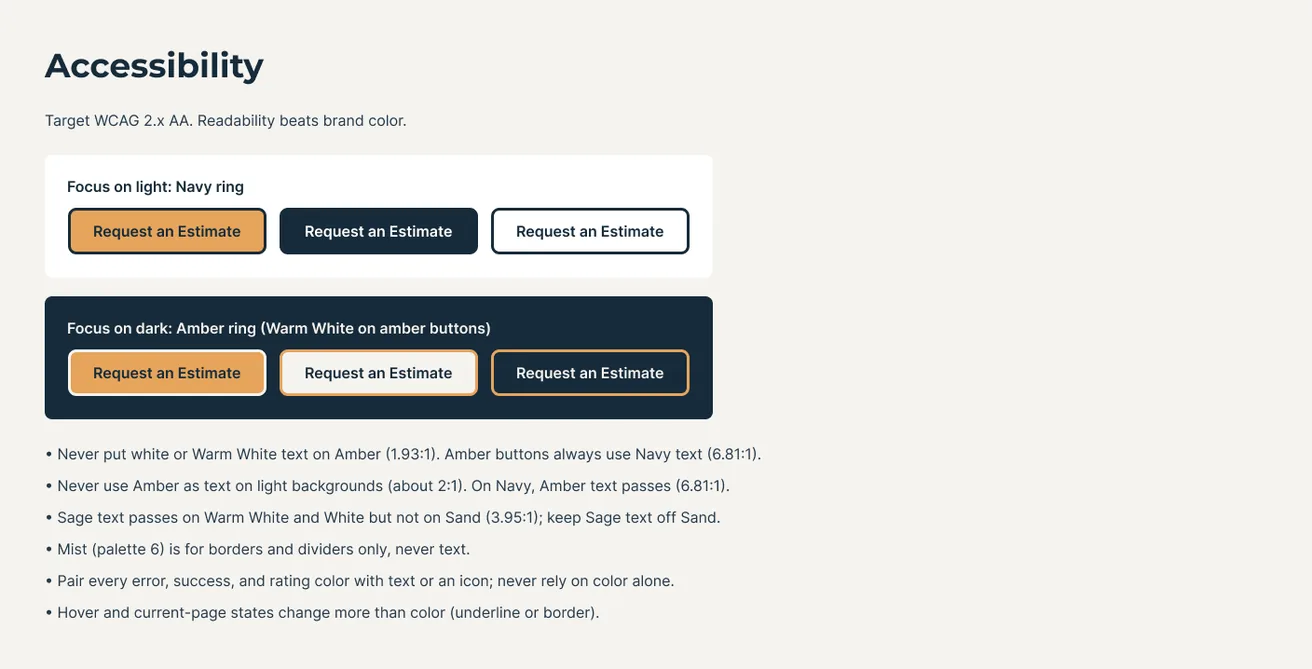
4. Brand Color vs. Accessibility
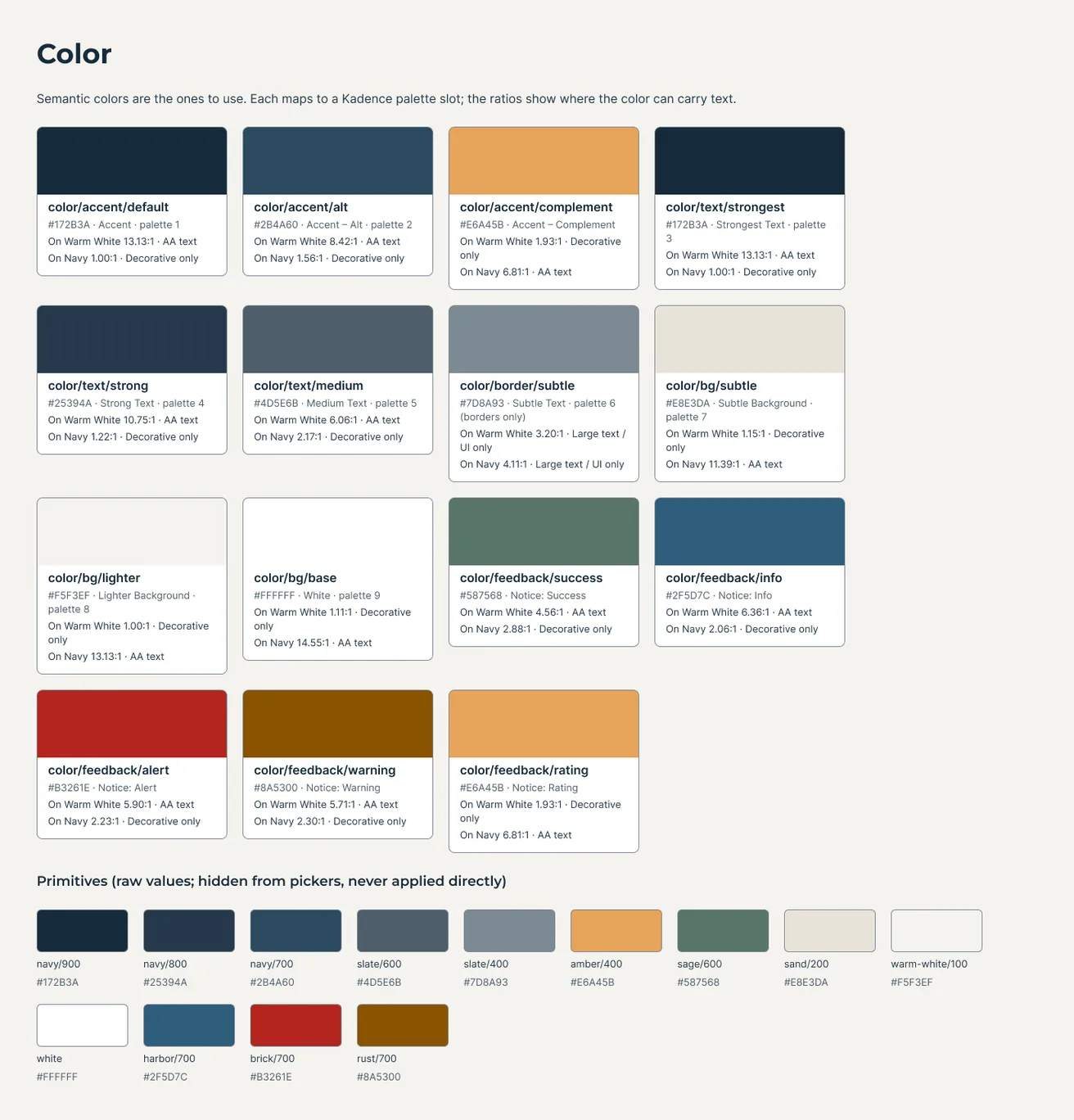
- Challenge: The brand amber (#E6A45B) is only 1.9:1 against the warm white background, well below WCAG AA.
- Design Response: Amber is used only as a button fill with navy text (6.8:1) or as an accent on navy backgrounds (6.8:1). Body text is navy on warm white (13.1:1). Focus states, reduced-motion support, and link colors are defined in the system, not left to defaults.
5. Documentation a One-Person Team Will Actually Use
- Challenge: My first written build guide was accurate but too long to follow while building.
- Design Response: The pattern library itself became the documentation. Each Figma component exists as a named, insertable pattern (“JSD / Hero”, “JSD / Packages”), so the system is used by inserting it rather than by reading about it.
Results
The site is newly launched, so these results are what I delivered.
- 13 reusable section patterns built from the Figma components (hero, services grid, testimonials, process, CTA bands, page hero, service detail, contact, packages, teardown offer, portfolio grid, founder story)
- 1 CSS file holding the whole system: tokens, typography, spacing, buttons, cards, badges, forms, focus, and dark sections
- WCAG AA contrast checked for every text and background pairing in the palette
- Responsive layouts verified at desktop (1440px), tablet, and mobile (375 to 390px)
Process
- Drew on my experience running a handyman business to define what contractor sites need to do: build trust, show the work, and make calling easy
- Defined the brand foundations: color, type (Montserrat and Inter), spacing, and voice
- Designed components and page templates in Figma
- Rebuilt the system natively in WordPress/Kadence and tested on desktop and mobile
- Iterated on real pages: Home, About, Contact, and Gallery
Figma Foundations: Color
Color tokens defined once, each mapped to a Kadence palette slot, with the contrast ratio that says where it can carry text.
Figma Foundations: Typography
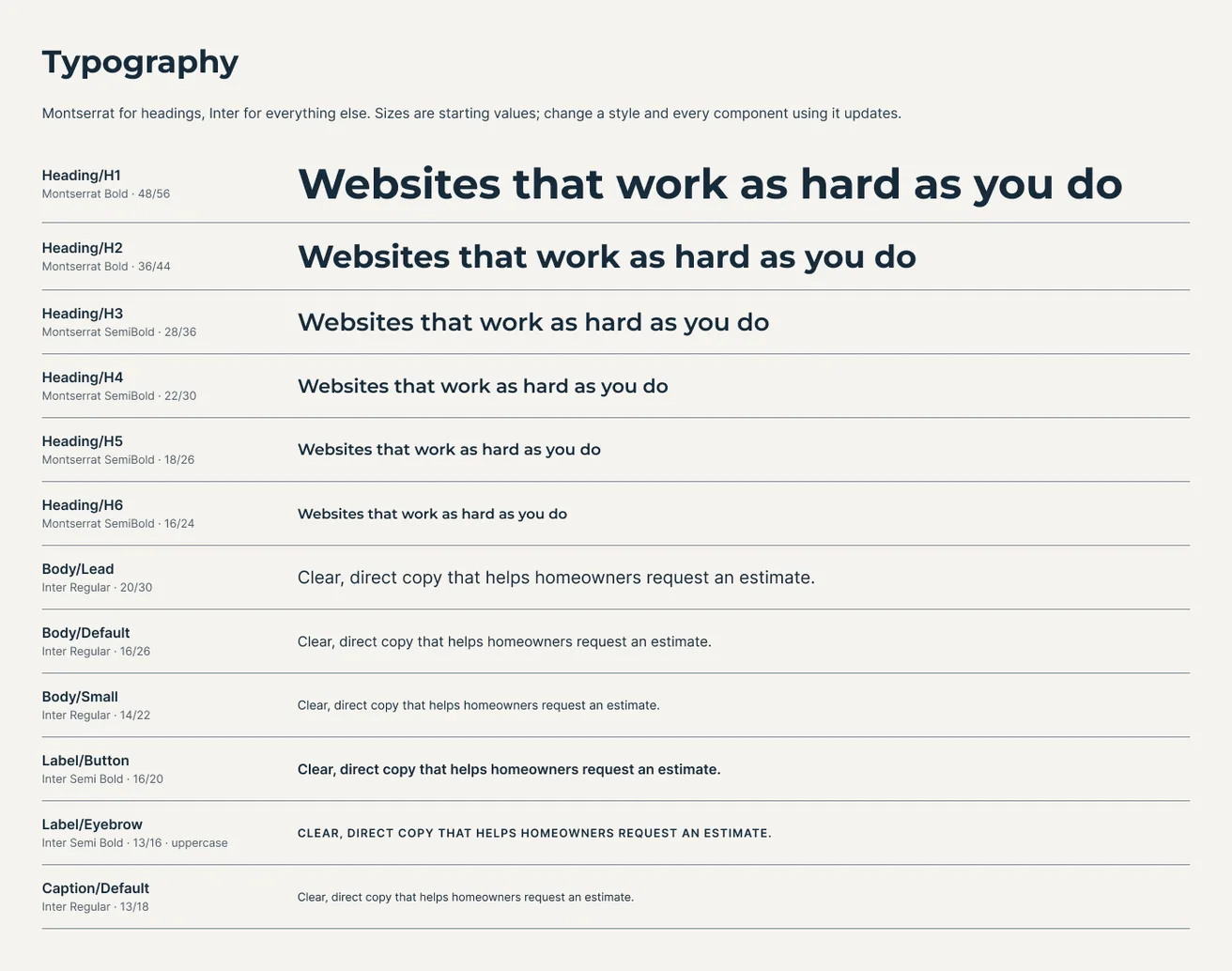
Montserrat for headings and Inter for body text, named to match the CSS variables in WordPress.
Figma Components
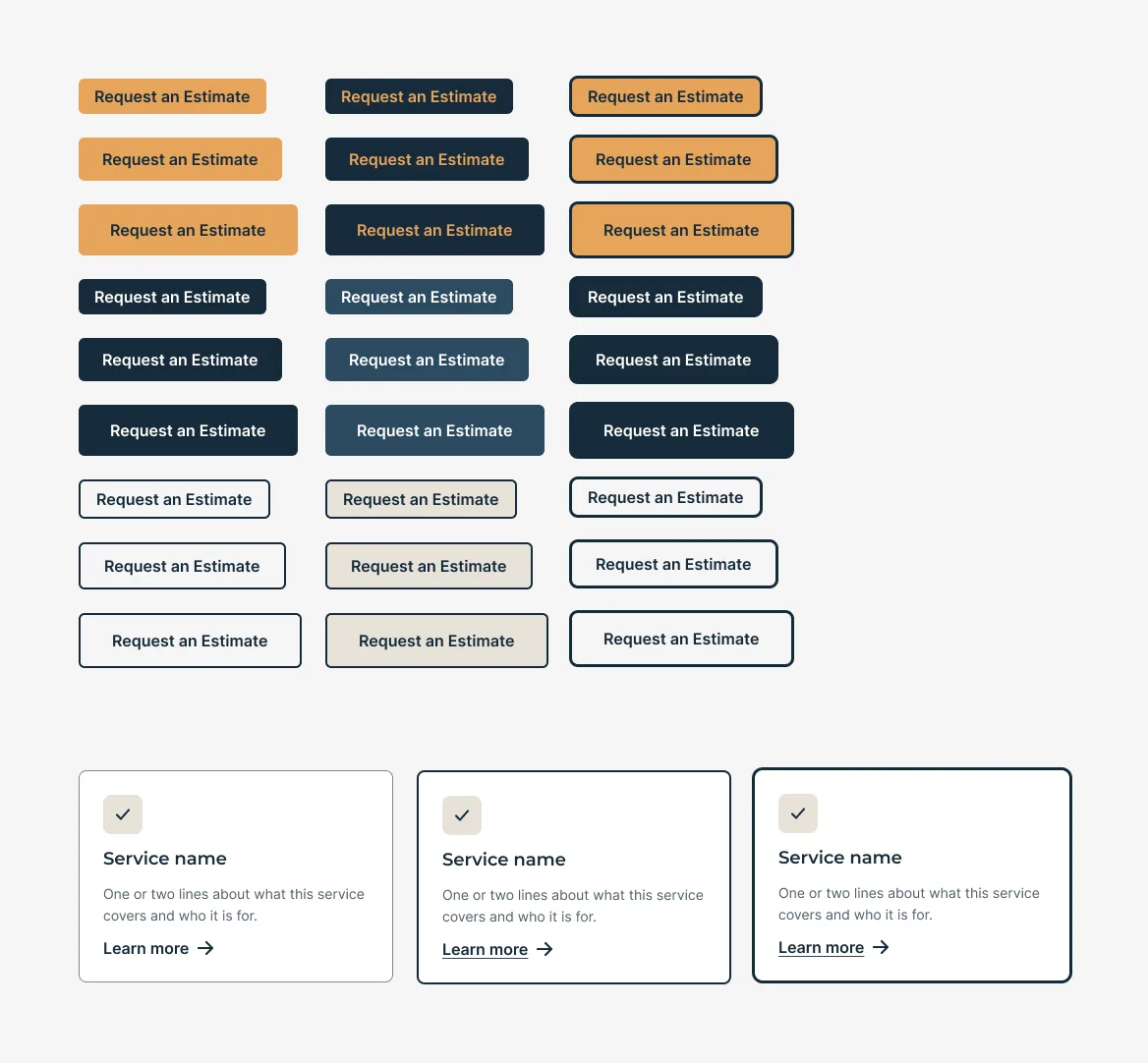
Button variants (sizes and styles) and service card states, the building blocks for every page section.
From Figma to WordPress
The hero in Figma and the same section rebuilt as a native Kadence pattern on the live site.
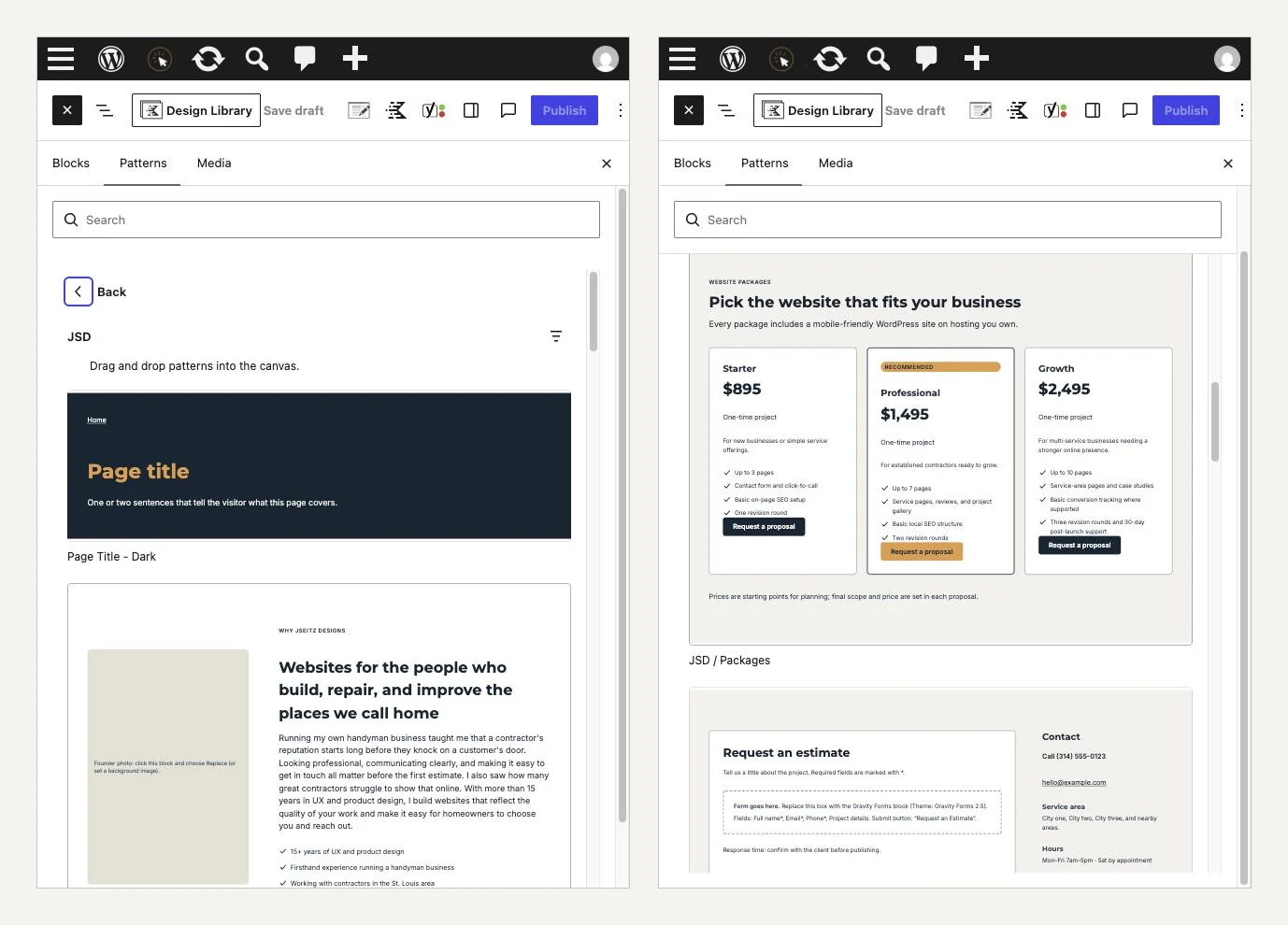
Pattern Library
Every section is available in the WordPress inserter under one “JSD” category, ready to drop into a client page.
Accessible Color Use
Focus rings for light and dark surfaces, and the rules that keep brand color from hurting readability.
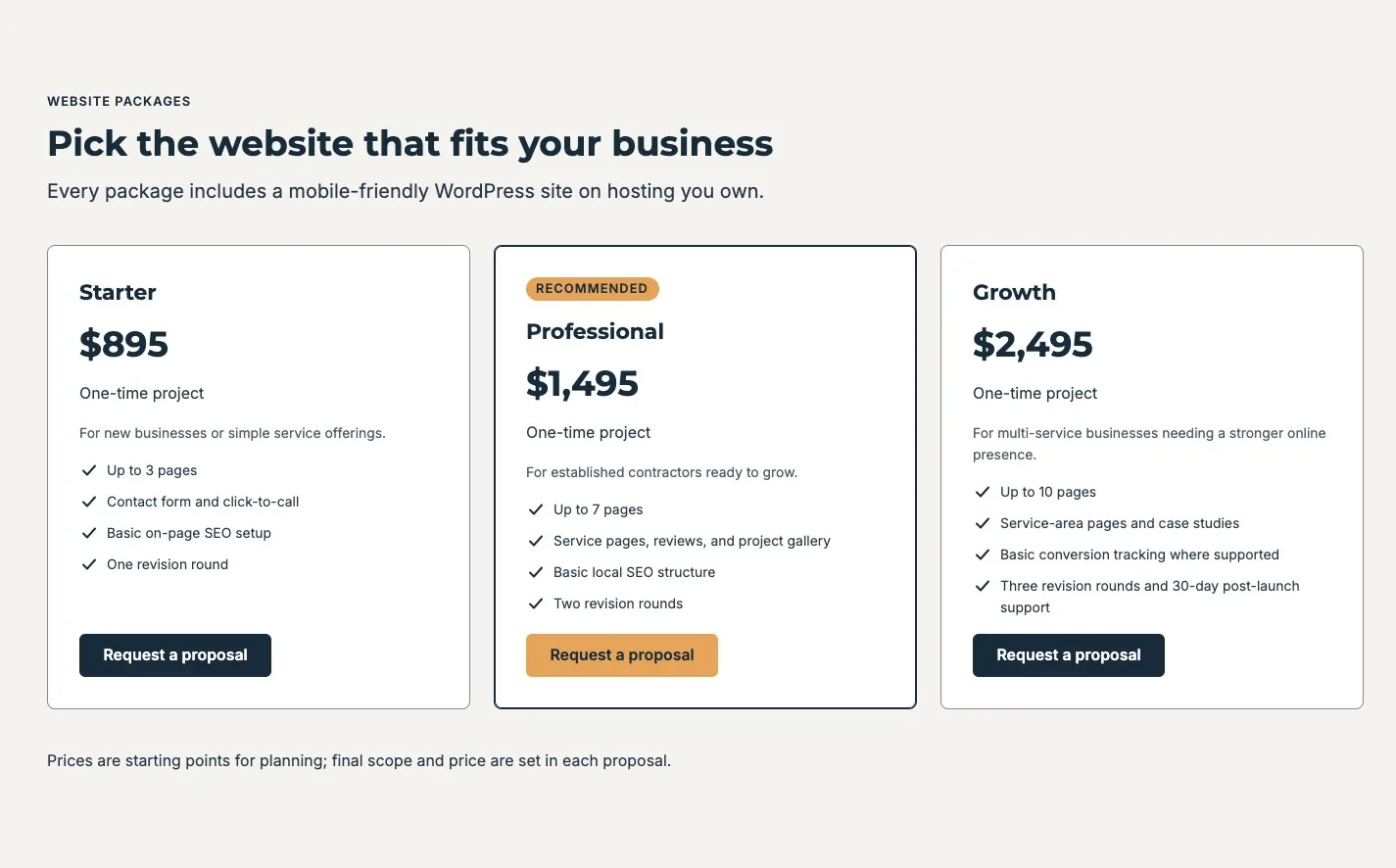
Live Site: Desktop
The packages section on jseitzdesigns.com, assembled from the Section Header, card, badge, check list, and button patterns.
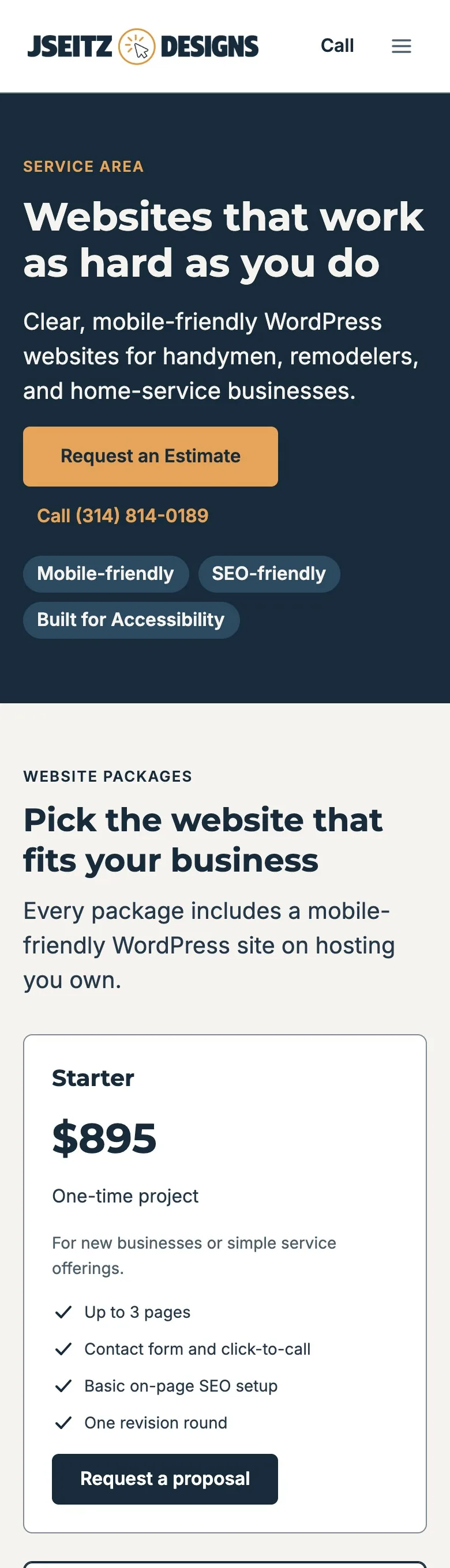
Live Site: Mobile
The same page at 390px: stacked layout, full-width tap targets, and the call link in the header.
What I’d Do Next
Move section spacing into shared classes (one place to adjust vertical rhythm site-wide), add a working estimate form to the system, and build the first client site from the patterns to measure the time saved.